
Karo.bot vs Tasks.Bot for Workflow Automation Software
Your team already runs on WhatsApp, yet tasks still get lost in chat threads. Most workflow tools pull field staff onto yet another dashboard they will not open. That gap costs you follow-ups, late jobs, and attendance you cannot verify.
This comparison breaks down how Karo.bot and Tasks.Bot handle workflow automation differently. You will see Tasks.Bot's WhatsApp task creation, voice-note AI, approval flows, map-based field tools, and its 3 months free beta offer, so you can decide which platform fits a team that never leaves the chat app.
What Is Tasks.Bot? Workflow Automation Inside WhatsApp
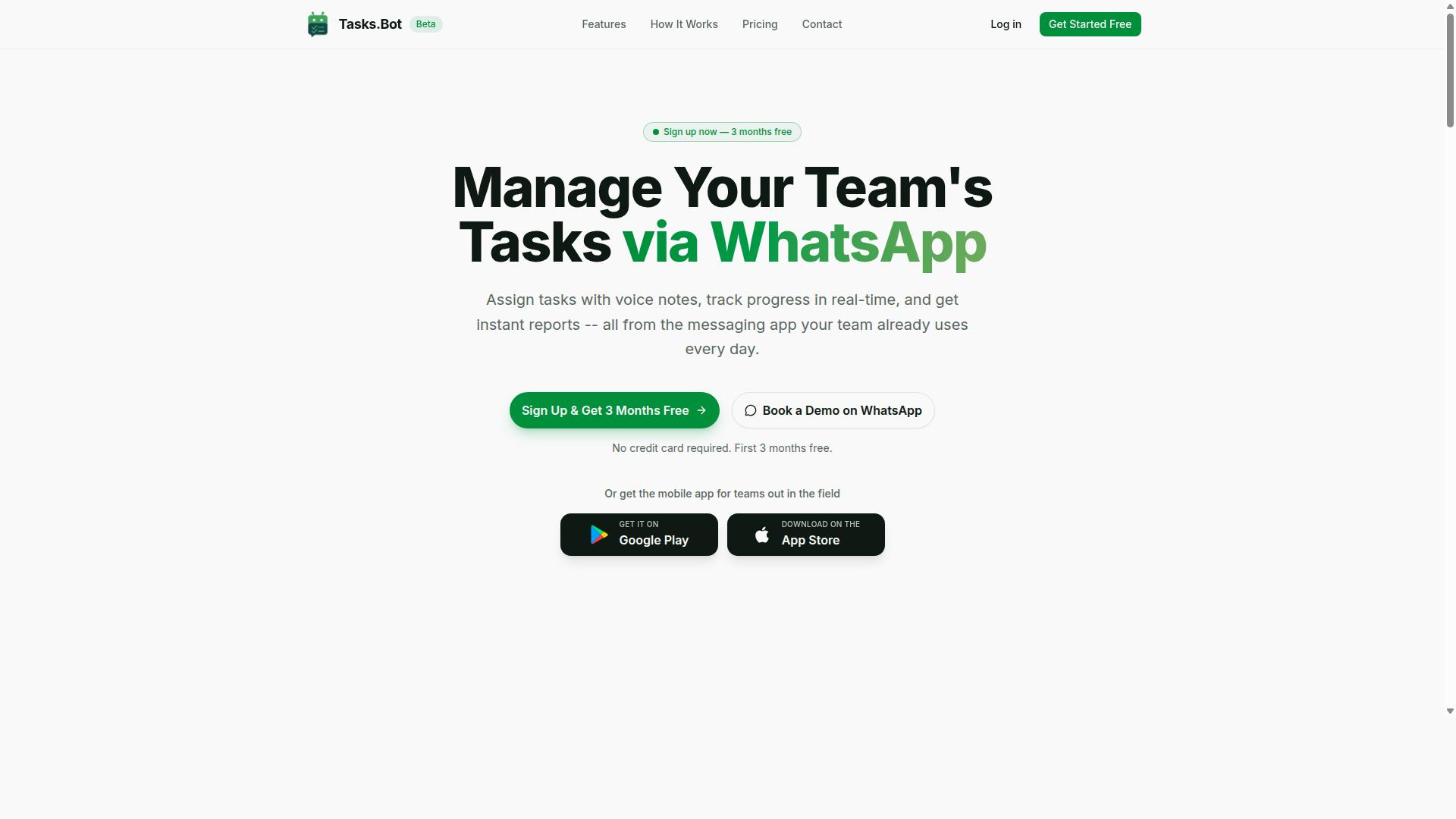
Tasks.Bot is a task management platform that operates entirely within WhatsApp, allowing teams to assign tasks, track progress, and receive reports without leaving the messaging app. Instead of asking employees to log into yet another dashboard, it turns the chat tool they already check dozens of times a day into the place where work actually gets organized.
That design choice matters more than it might sound. Most workflow automation software asks for a real behavior change: new logins, new notifications, new apps to open. Tasks.Bot removes that friction by meeting teams where they already are, which makes adoption far easier for anyone who is not sitting at a desk all day.
The platform also offers a mobile app for field teams, so workers who are on the move can stay connected to the same task flow they see in WhatsApp. The service is currently in beta and offers a free trial period, giving teams a low-risk way to see how it fits their existing communication habits.
For teams comparing workflow automation software, Tasks.Bot represents a different starting point. Rather than building complex trigger-based automation, conditional logic, or a visual workflow builder first, it begins with the everyday basics: task assignment, progress tracking, and reporting, all delivered through a familiar chat interface.
This approach sits alongside the broader category of productivity tools that connect chat platforms to work management. Some teams pair Slack integration or Microsoft Teams integration with dedicated project management apps, while others look for a Zapier alternative or Make alternative to link systems together. Tasks.Bot takes a narrower, more focused path, using WhatsApp as the single front door to task management, and the sections that follow explore how that shapes its fit for different kinds of teams.
Who Tasks.Bot Is Built For: Teams With Field Staff on WhatsApp
Tasks.Bot is designed for teams that rely on WhatsApp for communication, especially those with field staff who need task management, attendance tracking, and payroll-ready hours. If coordination already happens in group chats, the platform slots into a routine people know rather than introducing a separate system to learn.
The ideal fit is an operation where workers are mobile, distributed, or rarely at a computer. That includes operations teams managing site visits, sales teams moving between clients, and service teams handling jobs across a city or region. For these groups, a desktop-first project management tool often goes unused, while a chat-based one gets checked constantly.
Attendance tracking and payroll-ready hours are particularly valuable for this audience. Supervisors get a clearer record of who was present and when, and that information is structured in a way that can feed into payroll processes instead of being pieced together from scattered messages.
Small and mid-sized businesses tend to benefit most, since they often have the strongest WhatsApp habits and the least appetite for onboarding a heavy new platform. The site mentions that hundreds of teams are already using the service, which suggests the model resonates with organizations that value simplicity over an extensive feature set.
Teams that need deep integrations with Trello, Asana, or Jira, or that want advanced business process automation with conditional logic and task dependencies, may find a dedicated workflow builder more suitable. Tasks.Bot is not trying to be everything. It is built for the specific, common case of a WhatsApp-first team that wants task management, attendance, and reporting without adding another app to the stack.
Karo.bot vs Tasks.Bot: The Core Difference in How Workflow Automation Works
Karo.bot and Tasks.Bot both aim to automate workflows, but they differ fundamentally in their approach: Karo.bot typically involves a dedicated bot interface, while Tasks.Bot operates natively within WhatsApp.
That single distinction shapes everything about how each tool feels in daily use. One asks people to go somewhere new. The other meets them where conversations already happen. For teams evaluating workflow automation software, the difference often decides whether a tool gets adopted or quietly abandoned.
Karo.bot follows a destination model. Users generally need to open a separate bot or platform to create tasks, check status, or trigger an automation. That extra step sounds minor on paper, but it adds a layer of friction every time someone needs to log a request or update progress.
Tasks.Bot follows an embedded model. It works directly inside WhatsApp, so task creation happens in the same place where colleagues already coordinate. There is no new app to install, no separate login to remember, and no context switch between chatting and managing work.
This matters because adoption barriers rarely come from missing features. They come from habits. A productivity tool that requires a new routine competes against muscle memory, and muscle memory usually wins.
Consider a common scenario. A manager sends a voice note after a client call: "Remind Priya to send the revised quote by Thursday and loop in finance." With a separate bot interface, that thought has to be retyped into another system later. With an embedded approach, the message itself can become the task.
Tasks.Bot uses AI to understand natural language and voice notes, which means requests do not need to be formatted in a special syntax. People write or speak the way they normally would, and the system interprets the intent. That lowers the learning curve for team members who have no interest in becoming power users of yet another automation platform.
The practical result is a shorter path from intention to action:
- No switching between a chat app and a separate bot window
- No rephrasing casual requests into structured form fields
- No waiting for someone to manually log a task after a conversation ends
- No training session required before a new teammate can participate
For business process automation, friction compounds. A tool that saves two minutes per task but adds thirty seconds of setup friction per interaction can end up neutral or worse. Tools that disappear into existing channels tend to accumulate small wins instead of small losses.
It is worth noting that a dedicated interface is not automatically a weakness. Some organizations prefer a distinct workspace for automation, especially when workflows involve complex conditional logic or multiple connected systems. Karo.bot's approach may suit teams that want a clear separation between communication and operations.
The question is whether that separation helps or hinders your specific team. If your colleagues already live in WhatsApp, adding another destination creates a gap between where work is discussed and where work is tracked. Tasks.Bot closes that gap by design.
When comparing any two tools in this category, look past the feature checklist and ask a simpler question: how many steps stand between a request and a recorded task? Fewer steps mean faster adoption, more consistent task assignment, and less dependence on one person remembering to update the system.
That is the core difference. Karo.bot asks users to come to the bot. Tasks.Bot brings task management into the conversation, using AI to turn everyday messages and voice notes into organized, actionable work without leaving the chat.
Key Features and What Makes Tasks.Bot Stand Out
Tasks.Bot offers a suite of features designed to streamline task management and automation for teams that communicate via WhatsApp. Its main advantage is that it operates entirely within WhatsApp, so team members do not need to install anything or create new accounts.
That single design decision shapes how every feature works. Instead of asking employees to adopt a new productivity tool, Tasks.Bot meets them in the app they already check dozens of times a day. This reduces the training burden that often slows down workflow automation software rollouts.
The platform covers the full task lifecycle: creating tasks, assigning them, tracking deadlines, collecting approvals, and reporting on progress. For field-based workers, it adds tools that desk-bound platforms rarely offer, such as tasks on a map, live GPS tracking, and face-verified attendance.
Security is handled with enterprise-grade encryption. Conversations and task data are never shared or used for training, which matters for teams handling client or operational details.
Tasks.Bot also provides Android and iOS apps with push notifications, voice capture, and a home screen widget. A 3-month free trial with no credit card required lets teams evaluate the platform before committing.
The sections below break down the standout capabilities: AI-driven task creation, automations and approvals, and the tools built specifically for field teams.
AI Task Creation From Voice Notes and Natural Language
Tasks.Bot uses AI to interpret voice notes and natural language, allowing team members to create and assign tasks simply by speaking or typing in WhatsApp. The system understands user intent and turns a casual message into a structured task with the right details attached.
Consider a manager who records a quick voice note: assign a repair job to a field technician, at a specific site, by Friday. Instead of opening a form and filling in fields, the manager speaks the instruction. The AI extracts the assignee, the deadline, and the task description, then creates the task automatically.
The same applies to typed messages. A team member can write a sentence in plain language and let the platform handle the structure. This removes the friction of manual task entry, which is often the reason task management systems go unused.
For teams spread across locations or working in the field, voice input is a practical option. It is faster than typing on a phone and fits naturally into existing WhatsApp conversations.
Automatic task assignment is part of the same flow. Once the AI understands who should handle the work, the task reaches that person without a separate step. The result is less administrative overhead and a clearer record of who is responsible for what.
Automations, Approvals, and Smart Deadline Reminders
Tasks.Bot automates routine workflows, including approvals and deadline reminders, to keep projects on track without manual follow-ups.
Approval workflows are a common example. An expense request, a purchase order, or a completed job can be routed to a manager for sign-off before it proceeds. The task waits in the approval stage until the responsible person responds.
Smart deadline reminders notify both assignees and managers. The assignee gets a nudge before the due date, while the manager can see whether the work is on schedule. This kind of deadline tracking reduces the need for status-chasing messages.
Recurring tasks fit the same model. A maintenance check that happens every month, or a weekly report that always needs the same steps, can be set up once and triggered on schedule. The platform also handles shifts, leave, and hours management, so recurring work lines up with who is actually available.
Together, these features turn business process automation into something a team configures in plain language rather than a complex workflow builder. The automation runs quietly in the background, and the team keeps working where it already communicates.
Field Team Tools: Tasks on a Map, Face-Verified Attendance, Live Day Tracker
For field teams, Tasks.Bot provides tools like tasks on a map, face-verified attendance, and a live day tracker to manage work on the go. These features address a gap that many project management platforms leave open: supporting people who are not sitting at a desk.
Tasks on a map show the locations of assignments, so dispatchers and supervisors can see where work is happening geographically. This helps with planning routes, balancing workloads, and confirming that a job site matches the task record.
Face-verified attendance adds accountability for teams working remotely or on site. It confirms that the right person is present, which matters for shift-based operations where attendance directly affects payroll and coverage.
The live day tracker gives real-time visibility into progress as the day unfolds. Managers can see what has been completed and what is still pending without waiting for an end-of-day report.
Live GPS tracking supports the same goal for mobile staff, connecting location data to the tasks they are working on. Instant reports pull this information together, so supervisors get a clear picture without chasing updates.
For organizations with hybrid or fully mobile teams, these tools make Tasks.Bot more than a task list. They turn it into an automation platform that follows the work wherever it happens.
Pricing and Plans: Full Access With 3 Months Free
Tasks.Bot offers a single 'Full Access' plan with all features included, priced at ₹200 per member per month or ₹1,200 per year per member, with a 3-month free trial. That straightforward structure removes the guesswork that usually comes with choosing workflow automation software.
Instead of juggling tiers, add-ons, or feature gates, teams get one plan that covers everything. For anyone comparing business process automation options, this simplicity makes budgeting far easier to plan.
Pricing is listed in both Indian Rupees (₹) and US Dollars ($). The site shows a 'Select currency' option with Indian Rupee and US Dollar choices, so you can confirm the right currency before committing.
| Plan | Price | Billing |
|---|---|---|
| Full Access (monthly) | ₹200 per member | Billed monthly |
| Full Access (annual) | ₹1,200 per member | Billed yearly |
The annual option saves 50%, which works out to ₹1,200 saved per member each year. For a growing team, that difference adds up quickly across seats.
Because pricing is per member, the cost scales directly with team size. A small group pays for only the seats it needs, while larger departments can expand without switching plans or renegotiating contracts.
New users also get 3 months free, with no credit card required and the ability to cancel anytime. That trial period gives teams real time to evaluate how the platform fits their task management and project management needs before paying anything.
For a workflow automation platform, transparent per-member pricing with a generous free window is a practical advantage. It keeps entry costs low and makes long-term planning predictable.
Trust Signals: Beta Status, Encryption, and Refund Policy
Tasks.Bot is currently in beta, uses encryption to protect data, and offers a refund policy as stated in its footer. Those three details answer the questions most buyers ask before committing to any workflow automation software. They also separate a product that is honest about its stage of development from one that oversells its maturity.
Beta status is not a warning sign here. It signals that the automation platform is still evolving and under active development, which is normal for modern productivity tools. Buyers get access while the team continues to refine the workflow builder and related capabilities.
Encryption matters because business process automation often touches internal task data, approval chains, and team communications. When a platform encrypts data, it reduces exposure during transmission and storage. For teams evaluating a no-code automation tool, that protection is a baseline requirement, not a bonus.
The refund policy listed in the footer gives buyers a safety net. If the tool does not fit a team's task management needs, a stated refund path lowers the risk of trying it. That is a practical trust signal, especially for smaller teams comparing options.
- Beta stage: the product is still being developed, so features can change over time
- Encryption: data is protected, which matters for team collaboration and internal workflows
- Refund policy: listed in the footer, providing a fallback if the tool is not the right fit
- Global availability: the service can be accessed from anywhere, with a "Book a Demo on WhatsApp" option for hands-on questions
For anyone weighing Tasks.Bot against alternatives like a Zapier alternative or a Make alternative, these signals matter more than feature lists alone. A platform that is transparent about its beta status, protects data with encryption, and publishes a refund policy is easier to trust with trigger-based automation and approval workflows.
The copyright year of 2026 on the site also shows the product is current and actively maintained. Combined with the WhatsApp demo option, these details point to a service that is reachable and accountable, not abandoned. That is a reasonable basis for confidence while the beta continues.
Who Should Use Tasks.Bot
Tasks.Bot is ideal for teams that already use WhatsApp for communication and need a lightweight, integrated way to manage tasks and field operations. Instead of asking workers to learn a separate project management tool, the platform meets them in the app they already open every day.
That single design choice shapes who gets the most value from it. Communication and task management live in the same place, so instructions do not get lost between a chat thread and a separate dashboard. The brand notes that hundreds of teams already use the service.
Below are the groups where that setup tends to fit best, along with concrete examples of how it plays out day to day.
Small and medium businesses. Smaller companies rarely have the budget or the appetite for a heavy business process automation platform. They need task assignment, deadline tracking, and notifications without a months-long rollout. A WhatsApp-based tool keeps overhead low because there is no new app to train staff on and no separate login to manage.
Field service teams. This is where the fit is strongest. Field staff need task management, attendance tracking, and payroll-ready hours, and the verified facts confirm these are core parts of what Tasks.Bot supports. A construction crew, for example, can receive job details on site, log attendance as the shift starts, and have hours recorded in a form that payroll can actually use. Nobody has to drive back to an office to file paperwork.
Remote teams. Distributed teams that coordinate mainly through chat face the same fragmentation problem as field crews, just without the physical distance. When task assignment, reminders, and recurring tasks all run through one channel, team collaboration stops depending on who happens to check which tool.
Sales teams are another natural fit. A rep moving between client visits can pick up an assigned follow-up, mark it done, and keep the pipeline moving without switching apps mid-conversation.
The common thread is simple: if your team already runs on WhatsApp, and your work involves people who are not sitting at a desk all day, Tasks.Bot removes a layer of friction that general-purpose productivity tools tend to add. Teams that live inside a desktop workflow builder, or that rely on Slack integration, Microsoft Teams integration, or Google Workspace integration as their primary channel, are better served elsewhere.
Final Verdict: Is Tasks.Bot the Better Workflow Automation Choice?
Tasks.Bot stands out as a practical workflow automation solution for teams that live in WhatsApp, offering AI-powered task creation and field-friendly tools at an accessible price point. For organizations weighing workflow automation software options, the decision often comes down to where work actually happens. If that place is WhatsApp, Tasks.Bot removes the friction of moving between platforms.
The case for Tasks.Bot rests on a simple idea: task management should happen inside the tool your team already opens dozens of times a day. Instead of asking field staff to learn a new dashboard, the platform meets them in a familiar chat interface.
No tool is perfect, and an honest verdict should weigh both strengths and trade-offs. The sections below summarize where Tasks.Bot delivers clear value and where teams should set realistic expectations before adopting it.
Where Tasks.Bot Delivers Clear Value
- WhatsApp-first workflow: Task creation, assignment, and updates happen in the messaging app most teams already use daily.
- AI-powered task creation: The platform uses AI to help turn conversations into structured tasks, reducing manual data entry.
- Field team features: Tools are designed for mobile-first workers who are rarely at a desk, making task assignment and updates practical on the go.
- Accessible price point: The cost structure suits small and mid-sized teams that want automation without enterprise-level spending.
These strengths matter most for service businesses, sales teams, and operations groups where business process automation has historically meant rigid desktop software. Tasks.Bot flips that assumption by treating chat as the primary workspace.
For teams comparing a Zapier alternative or a Make alternative, the difference is philosophical. Those platforms connect apps through trigger-based automation, while Tasks.Bot focuses on keeping people and tasks connected inside one conversation layer.
Trade-Offs to Consider Before Committing
- Beta status: As a product still maturing, some features may evolve or change over time.
- Limited integrations outside WhatsApp: Teams that rely heavily on Slack integration, Microsoft Teams integration, or deep Google Workspace integration may find the ecosystem narrower than they expect.
- Fewer native connectors: Organizations wanting built-in Trello integration, Asana integration, or Jira integration should verify current support before standardizing on the platform.
None of these points disqualify Tasks.Bot. They simply define the profile of team it fits best. A startup running field operations on WhatsApp will get far more value than an enterprise with a sprawling stack of productivity tools that all need to talk to each other.
Teams should also think about conditional logic, approval workflows, and recurring tasks when evaluating fit. If those needs live entirely inside chat-driven processes, Tasks.Bot aligns well. If they span a dozen disconnected systems, a broader automation platform may be the safer route.
Who Should Choose Tasks.Bot
The clearest fit is a team that prioritizes simplicity and mobile-first workflows. If your staff already coordinates through WhatsApp groups and struggles with scattered instructions, Tasks.Bot turns that informal chatter into trackable task management with deadline tracking and reminders built in.
Small businesses, field service crews, and lean operations teams benefit most. They gain chatbot integration without a steep learning curve, and they avoid the overhead of a traditional workflow builder that assumes everyone sits at a computer.
Larger organizations with complex project management needs across many departments may want to start with a pilot. Testing Tasks.Bot on one team reveals whether its WhatsApp-centric model fits the wider team collaboration culture.
The verdict is straightforward: for WhatsApp-native teams, Tasks.Bot is a strong and practical choice. Its AI capabilities, field-friendly design, and accessible pricing outweigh the limitations of beta status and a narrower integration set, provided your workflows center on chat rather than a sprawling app ecosystem.
Getting Started with Tasks.Bot
Readers who want to explore the platform can reach the team directly. Contact Tasks.Bot by phone at +91 97143 42522 or by email at [email protected]. You can also choose the Book a Demo on WhatsApp option to see the workflow automation experience firsthand inside the app itself.
For teams that live in WhatsApp and want no-code automation without complexity, Tasks.Bot is worth a serious look. Start with a demo, test it on real tasks, and judge the fit against how your team actually works.
Frequently Asked Questions
What is the main difference between Karo.bot and Tasks.Bot?
Tasks.Bot is a task management platform that runs entirely inside WhatsApp, so your team can assign tasks, track progress, and get reports without installing new software or creating extra accounts. Karo.bot is another workflow automation tool, but since its specific features and pricing aren't covered in our research, we recommend comparing it directly on its own site. If keeping work inside WhatsApp matters to your team, Tasks.Bot is built for exactly that.
Do my team members need to download an app to use Tasks.Bot?
No. Tasks.Bot operates entirely within WhatsApp, so team members don't need to install anything or create new accounts - they just use the WhatsApp they already have. For field teams, Tasks.Bot also offers a mobile app as an additional option. This makes onboarding much faster than tools that require every user to sign up and learn a new interface.
How does Tasks.Bot pricing work compared to Karo.bot?
Tasks.Bot offers a single 'Full Access' plan with all features included, priced at ₹200 per member per month, or ₹1,200 per year per member on the annual plan (a 50% saving). Pricing is available in both Indian Rupees and US Dollars. We can't quote Karo.bot's pricing here since we haven't verified it - please check their website for current rates before comparing.
Can Tasks.Bot handle task creation for field staff who aren't comfortable typing?
Yes. Tasks.Bot uses AI to understand natural language and voice notes, so tasks can be created simply by speaking. It also supports automatic task assignment, smart deadline reminders, approvals and automations, and tasks on a map. For field teams, there's face-verified attendance and live day tracking as well.
Which tool is better for teams that already communicate on WhatsApp?
If your team already runs on WhatsApp, Tasks.Bot fits naturally into that workflow - task assignment, progress tracking, and instant reports all happen in the same app your team uses daily. Hundreds of teams are already using the service, which is currently in beta. For Karo.bot, you'd need to evaluate how well it integrates with your existing communication habits.
How can I try Tasks.Bot before deciding?
You can book a demo on WhatsApp directly through the Tasks.Bot website, and the service is available worldwide since it's a SaaS product accessible via WhatsApp and mobile apps. Tasks.Bot also mentions a refund policy in its footer, so you can review the terms before committing. For questions, reach out at [email protected] or +91 97143 42522.
Recommended Resources: